


GNU find is a powerful command-line utility that lets you search for files and folders in a hierarchical tree directory structure. It is the backend for all those utilities out there like the graphical searching in KDE or GNOME. However, find can be a little hard to handle at first by beginners. In this tutorial I will try to explain some of the capabilities of find, show some useful one-liners and provide more explanations regarding this command.

0 A.D. is a strategy game that has been around for quite some time now, and it reached a decent level of completeness despite the fact that Wildfire Games are releasing only alpha versions. It’s free, open-source and available for Linux, Windows and Mac OS X and the latest alpha, codenamed ‘Ides of March’, comes with a whole bunch of new features and fixes.
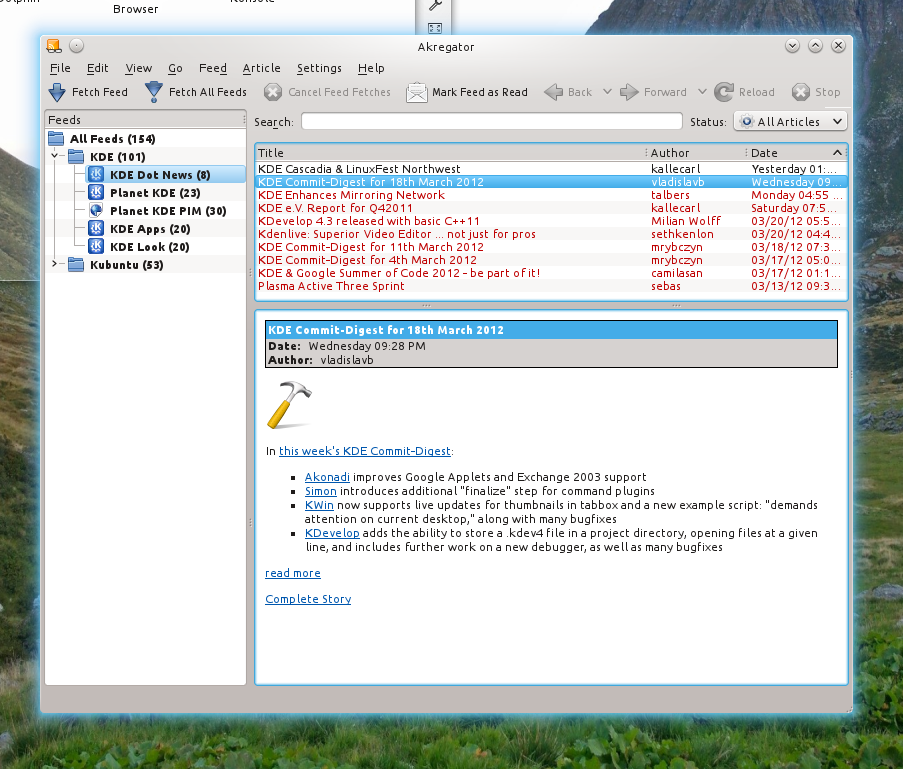
Akregator
This is the KDE-based feed reader with support for RSS feeds. Akregator comes with lots of features and it has a simple interface, with a tree-like view to the left side for the feeds list and a large area for reading news. It supports tabs, sharing to websites like Twitter or Identi.ca, while links and pages can be opened in an external web browser. It uses the WebKit engine for displaying web pages. It allows the configuration of its appearance, like font and colors, sharing services, article archiving and it support system tray integration.

- ColorCode 0.8.5 Mastermind Clone Game Gets Qt5 Support
- Pentobi Is a Blokus Board Game Implementation for KDE with Various Features
- 12 Labours of Hercules and Out of the Park Baseball 16 Now on Steam
- Red Eclipse 1.5 Overview & Screenshots
- Eschalon Book I, II & III 75% Off on GOG.com, Unrest 50%
- Steam Publisher Sale: Borderlands, BioShock Infinite, Civilization V and XCOM Up to 75% Off
- Tropico 5 75% Off, Free to Play Until Sunday