


TuxArena now has a new WordPress theme. There is still some work that I have to do on the comments, that is, make them look nicer, but otherwise it seems to work well. Hope you like it ;) If I can finish it, maybe I’ll try submitting it to the WordPress themes directory.

According to this announcement on the official Debian website, Debian logos may be used freely for both non-commercial and commercial purposes.
In addition to this, the final artwork for the upcoming release 7.0 codenamed ‘Wheezy’ has been published too, just a few days after the Debian Installer RC1 was released. The artwork is following a light-blue pattern. You can download an archive containing the artwork from here. The package contains PNG and SVG files for the background, grub, the Debian installer, syslinux and even artwork designed for merchandising purposes (like T-Shirts, mugs etc).
This new release fixes many bugs and adds some functionality improvements. Have a look at the announcement, or download it from here.
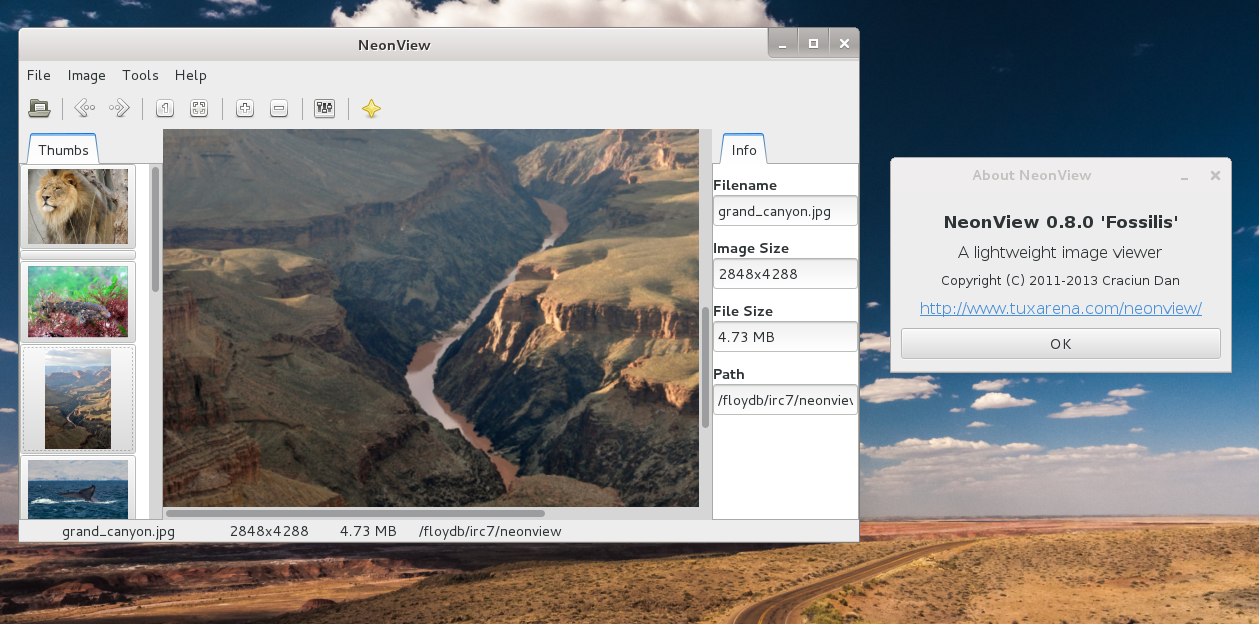
NeonView is a minimalist image viewer for Linux, created by TuxArena and written in C and GTK+ 3.
Below is a screenshot of NeonView in GNOME 3:
I was pretty reluctant in trying Steam on Linux ever since it was made available, but what made me install it was that Counter-Strike is now available on Linux via Steam too. I used to play this a lot a few years back and CS for Steam was put out on February 6. So I bought the Counter-Strike Anthology pack during this weekend deal and decided to give it a try.

- ColorCode 0.8.5 Mastermind Clone Game Gets Qt5 Support
- Pentobi Is a Blokus Board Game Implementation for KDE with Various Features
- 12 Labours of Hercules and Out of the Park Baseball 16 Now on Steam
- Red Eclipse 1.5 Overview & Screenshots
- Eschalon Book I, II & III 75% Off on GOG.com, Unrest 50%
- Steam Publisher Sale: Borderlands, BioShock Infinite, Civilization V and XCOM Up to 75% Off
- Tropico 5 75% Off, Free to Play Until Sunday