
Ubuntu/Debian/Mint news and tutorials | Linux stuff
feed.png
Quick Tip #1
Disable Overlay Scrollbars in GNOME
For Ubuntu 12.10, open a terminal and type the following command:
gsettings set com.canonical.desktop.interface scrollbar-mode normal
Changes should occur instantly. The overlay scrollbars should now be replaced with normal scrollbars.

For Ubuntu 12.04, use the following command:
gsettings set org.gnome.desktop.interface ubuntu-overlay-scrollbars false
Log out and log back in for changes to occur.
Quick Tip #2
Mount an ISO Image from Command-Line
sudo mount -o loop /path/to/image.iso /path/to/empty/dir
Notice that /path/to/empty/dir must exist and should be empty.
Quick Tip #3
Find Out Current GNOME Version
For GNOME:
gnome-shell --version
For the Compiz window manager, use:
compiz --version

ISO Master is a free, open-source application that allows the creation of ISO9660 images, as well as reading and extracting files and directories from an ISO image.
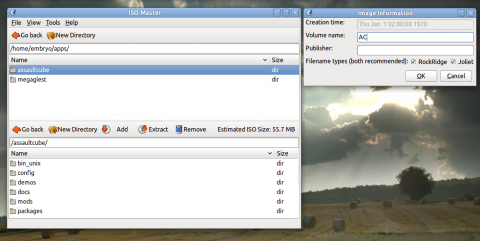

ISO Master has a simple and clean interface, and it features the following functions:

  • read ISO9660 images
  • extract files/folders from an image
  • create CD/DVD ISO images, including bootable ISO images
  • built in GTK, blends well in GNOME
  • supports ISO, NRG, MDF, saves only to ISO
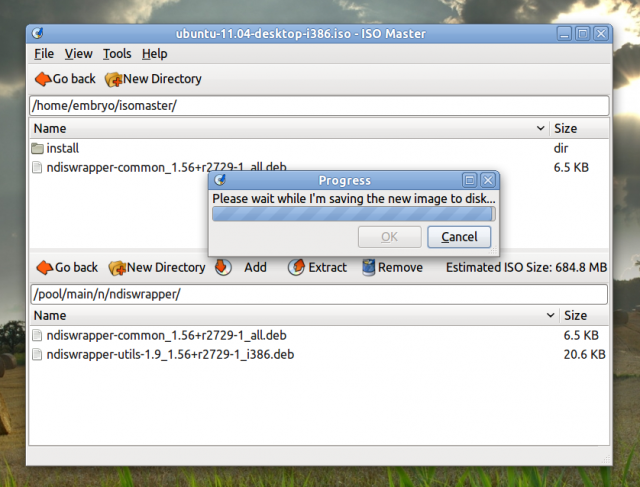
ISO Master is included in the Ubuntu 11.04 repositories, so to install it just type in a terminal sudo apt-get install isomaster or use the Ubuntu Software Center.

Mark says:

Note that ISO Master does not seem to have the ability to back up a CD to ISO. To do that, try K3B or command-line.

Leave a Comment

Sponsors
Advertise on TuxArena
Online Readers